
Importing an Advanced Queue
The “Import” option provides a convenient way to bring queues from other Service projects into your current environment. Here’s how you can use this feature:
-
Access the Import Function:
-
Click on the three dots located at the top of the Advanced Queues panel.
-
From the dropdown menu that appears, select “Import Queue.”
-
-
Specify Import Details:
-
Choose the specific project from which you want to import the queue.
-
Define the scope of the import, aligning it with your requirements.
-
Select the queues you wish to import from the chosen project.
-
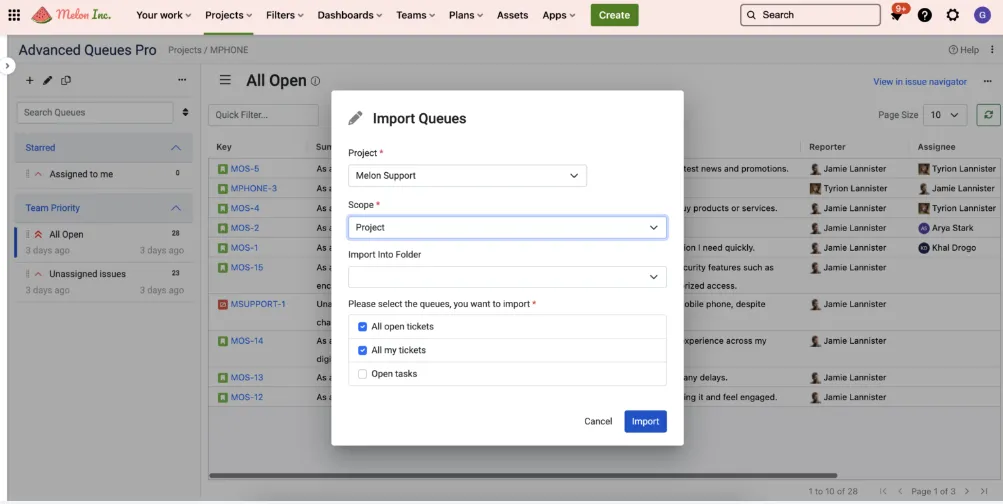
By following these steps, you can seamlessly import queues from other Service projects, streamlining your workflow and enhancing your issue management capabilities.