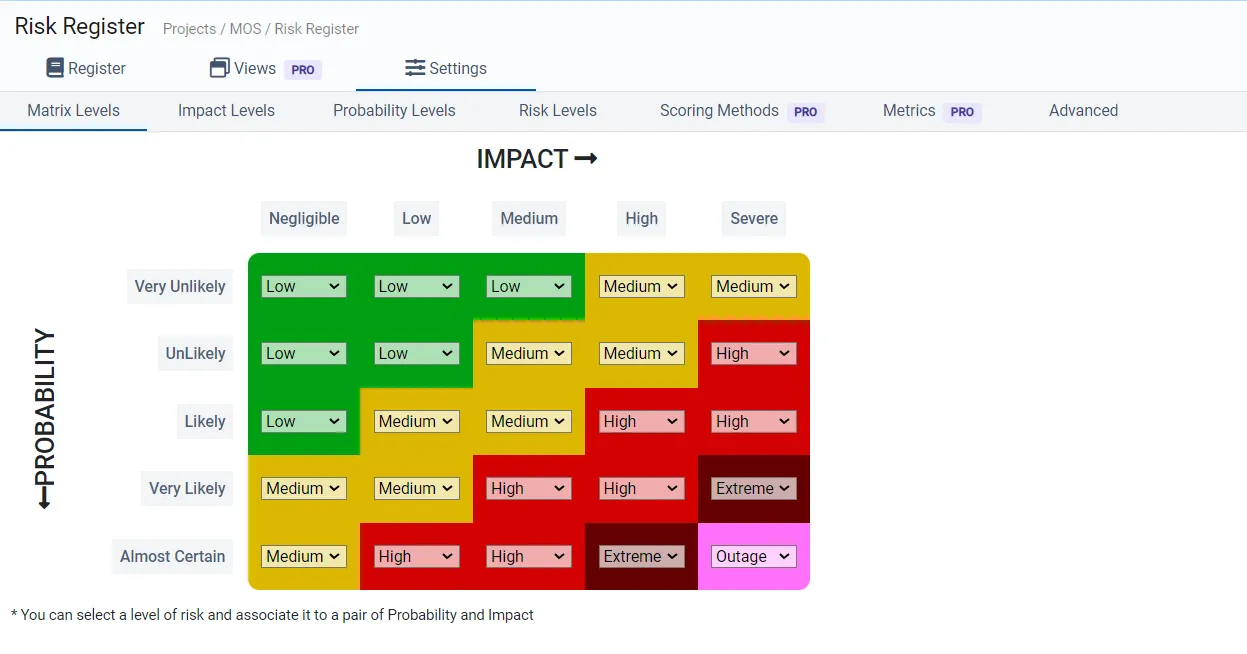
Configuring and Managing Risk Matrix
To access the Matrix Level Settings page, follow these steps:
-
Navigate to the Risk Register page.
-
Click on the “Settings” option within the Risk Analyzer interface.
Once you’re on the Matrix Level Settings page, you have the ability to:
-
Choose a specific risk level.
-
Associate this risk level with a combination of impact and probability, allowing you to establish the relationship between these elements within your risk assessment framework.