
Acceptify
Overview
Section titled “Overview”The Acceptify agent generates clear, detailed, and consistent acceptance criteria for Jira issues. By analyzing the issue description and context, Acceptify ensures alignment with project goals, reduces ambiguities, and promotes shared understanding among stakeholders.
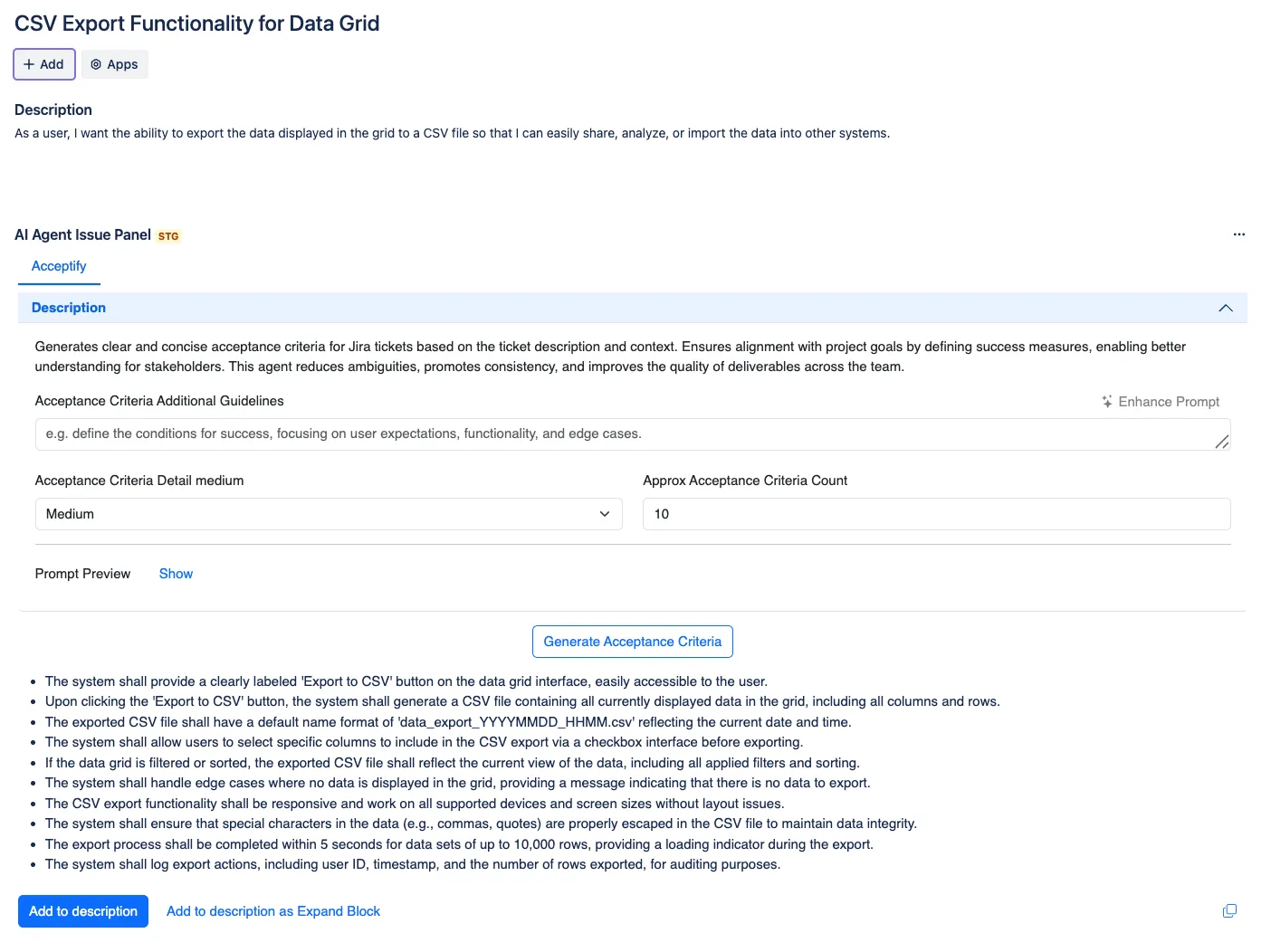
Enablement
Section titled “Enablement”In order to add this Agent, Navigate to Project > AI Agents for Jira > Agents Library > Add Acceptify.
Configuration Settings
Section titled “Configuration Settings”To configure the Acceptify agent, navigate to AI Agents for Jira > Agents and select Acceptify. Use the following options to customize the acceptance criteria generation process:
-
Acceptance Criteria - Additional Guidelines
-
Provide specific instructions or focus areas for the generated acceptance criteria.
-
Example: Define conditions for user expectations, functionality, and edge cases.
-
-
Acceptance Criteria Detail Level
-
Choose the level of detail for the generated acceptance criteria:
-
Medium (default): Provides a balanced level of detail for clarity and execution.
-
Higher levels can include more granular steps or conditions.
-
-
-
Approximate Acceptance Criteria Count
-
Specify the number of acceptance criteria to generate.
-
Example:
10generates up to 10 acceptance criteria items.
-
-
Prompt Preview
- Click Show to view the AI-generated prompt before generating acceptance criteria.
Adding to Jira Issues
Section titled “Adding to Jira Issues”-
Add to Description: Insert the generated acceptance criteria directly into the issue description.
-
Add to Description as Expand Block: Save the generated criteria inside the description as an expandable block in the Jira issue.