
Task Tailor
Overview
Section titled “Overview”The Task Tailor agent simplifies the breakdown of complex Jira issues into smaller, actionable sub-issues. It intelligently analyzes issue content to identify components, assign attributes like priority, and link subtasks to the parent ticket. Task Tailor ensures logical task segmentation, saving time and improving team productivity.
Enablement
Section titled “Enablement”In order to add this Agent, Navigate to Project > AI Agents for Jira > Agents Library > Add Task Tailor.
Configuration Settings
Section titled “Configuration Settings”Use the following options to adjust the agent to your project needs:
-
Mode Selection
-
Basic: Quickly generate subtasks with default settings.
-
Advanced: Fine-tune task generation with additional settings; you can handcraft your custom prompt here. For example, ask the agent always to add acceptance criteria to newly created tickets.
-
-
Content Selection Choose the data to include when generating sub-issues:
-
Summary: Use the issue summary.
-
Description: Include the issue description for more detailed breakdowns.
-
Comments: Analyze comments for context and additional requirements.
-
-
Approximate Issue Count
- Define the number of sub-issues Task Tailor should generate.
Example:4will split the task into four actionable items.
- Define the number of sub-issues Task Tailor should generate.
-
Description Level
-
Medium (default): newly created issues will contain a Medium level of detail.
-
Other options (Low, High) will allow for more detailed breakdowns if configured.
-
-
Issue Types
-
Select the desired issue types for the sub-issues:
-
Task
-
Sub-task
-
Story
-
Bug
-
Epic
-
-
-
Assignee
- Assign specific team members to the generated issues, or leave it unassigned for later updates.
-
Prompt Preview
- Click Show to preview the AI-generated breakdown prompt, ensuring accuracy before running the agent.
How to Use Task Tailor
Section titled “How to Use Task Tailor”-
Generate Sub-Issues
-
Open the Task Tailor configuration screen and input the desired settings.
-
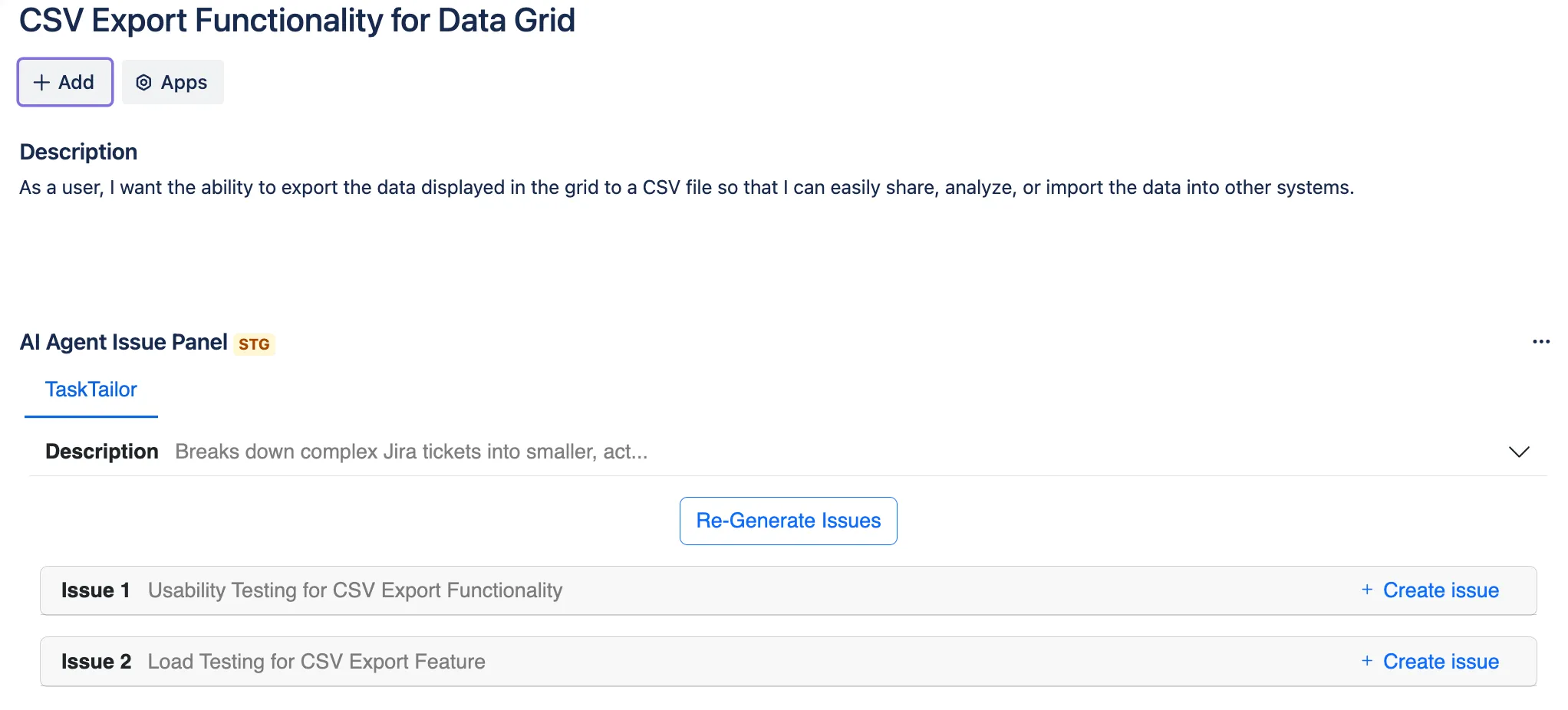
Click the Generate Issues button to allow the AI agent to analyze the issue and generate subtasks or stories.
-
-
Review and Adjust Outputs
-
Task Tailor will display the generated sub-issues, including:
-
Summary: A concise description of the subtask’s objective.
-
Description: Details or requirements derived from the parent issue.
-
Type: Issue type (Story, Task, etc.).
-
Assignee: Optionally assign a team member.
-
-
-
Create Sub-Issues
- Click + Create Issue next to each subtask to add it to the parent ticket.
Best Practices
Section titled “Best Practices”- Iterate and Re-Generate: If the generated sub-issues do not align perfectly with your needs, adjust the configuration and click Re-Generate Issues.