
Agent Library
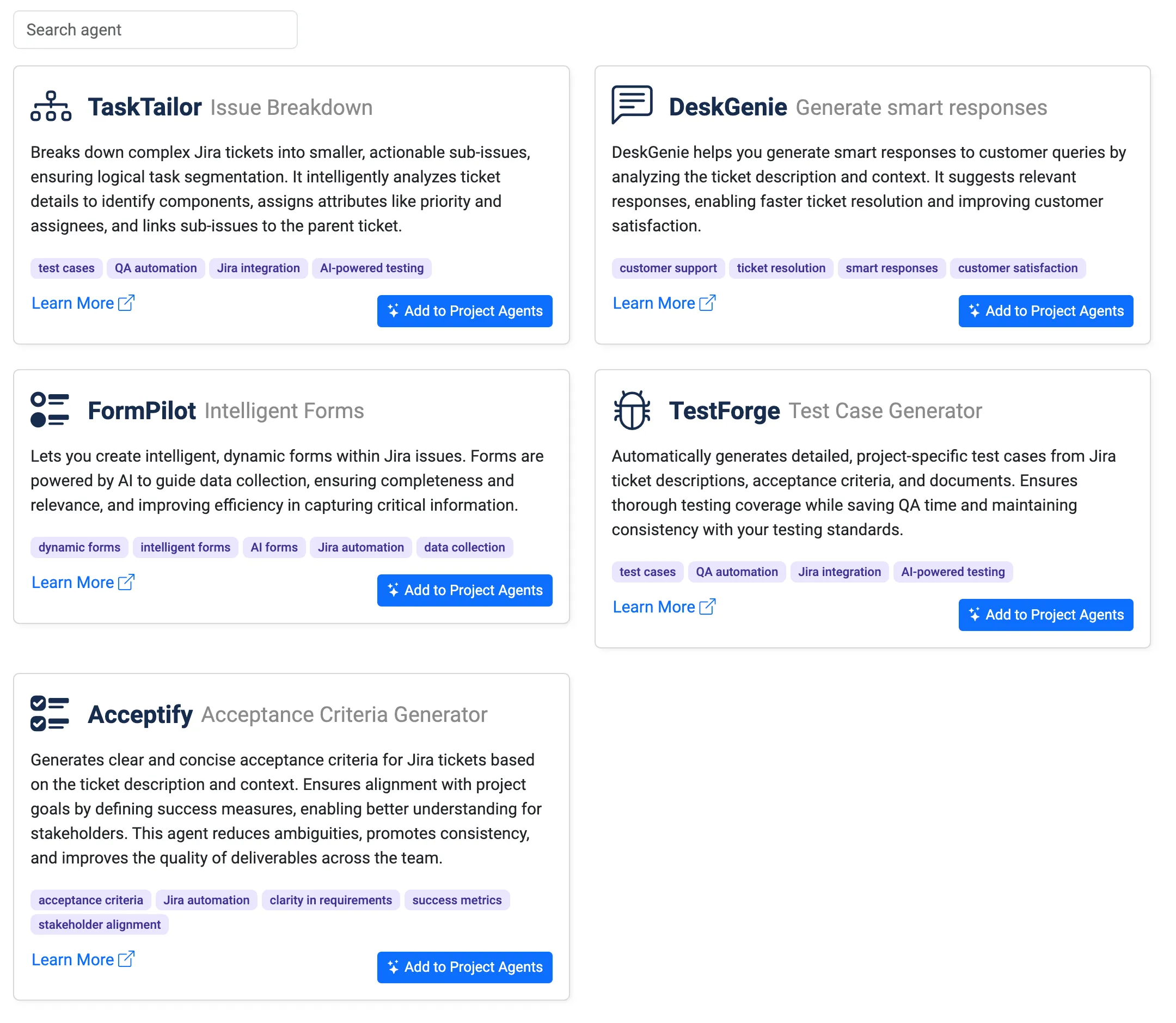
The Agent Library is the central hub for discovering, managing, and adding AI Agents to your Jira projects. Each agent automates a specific task to help streamline your workflows, reduce manual effort, and improve team productivity.
Accessing the Agent Library
Section titled “Accessing the Agent Library”To access the Agent Library:
-
Go to your Jira Project.
-
Navigate to Project Settings > AI Agents.
-
Click Agent Library tab to open the Agent Library.
Here, you can browse through available agents, understand their capabilities, and add them to your project.
Available Agents
Section titled “Available Agents”1. TaskTailor – Issue Breakdown
Section titled “1. TaskTailor – Issue Breakdown”Purpose: Breaks down complex Jira tickets into smaller, actionable sub-issues.
-
Features:
-
Intelligent analysis of ticket details, including priority and assignees.
-
Logical segmentation of tasks with links to parent issues.
-
-
Use Case: Simplify large epics or complex tasks into manageable work items.
Tags: test cases, QA automation, Jira integration, AI-powered testing.
2. DeskGenie – Generate Smart Responses
Section titled “2. DeskGenie – Generate Smart Responses”Purpose: Provides smart, AI-driven responses to customer queries by analyzing ticket content and context.
-
Features:
-
Suggests relevant responses for faster ticket resolution.
-
Improves customer satisfaction with consistent messaging.
-
-
Use Case: Ideal for support teams handling customer tickets.
Tags: customer support, ticket resolution, smart responses, customer satisfaction.
3. FormPilot – Intelligent Forms
Section titled “3. FormPilot – Intelligent Forms”Purpose: Creates intelligent, dynamic forms for Jira issues to ensure efficient data collection.
-
Features:
-
Guides data collection with relevant and complete forms.
-
Improves efficiency by automating form completion.
-
-
Use Case: Perfect for projects requiring structured input and data validation.
Tags: dynamic forms, intelligent forms, AI forms, data collection, Jira automation.
4. TestForge – Test Case Generator
Section titled “4. TestForge – Test Case Generator”Purpose: Generates detailed, project-specific test cases based on Jira ticket descriptions, acceptance criteria, and documents.
-
Features:
-
Ensures thorough testing coverage with AI-generated test cases.
-
Saves QA time while maintaining consistency.
-
-
Use Case: Perfect for QA teams needing fast and accurate test case generation.
Tags: test cases, QA automation, Jira integration, AI-powered testing.
5. Acceptify – Acceptance Criteria Generator
Section titled “5. Acceptify – Acceptance Criteria Generator”Purpose: Drafts clear and concise acceptance criteria to align Jira tickets with project goals.
-
Features:
-
Reduces ambiguity and ensures stakeholder alignment.
-
Promotes consistency across tickets.
-
-
Use Case: Useful for Agile teams to define “done” criteria for issues and epics.
Tags: acceptance criteria, Jira automation, clarity in requirements, success metrics, stakeholder alignment.
Adding an Agent
Section titled “Adding an Agent”To add an agent from the library:
-
Click on Add to Project Agents for the desired agent.
-
Configure the agent’s behavior.
-
Test the agent to ensure it aligns with your project needs.
Best Practices
Section titled “Best Practices”-
Start with one or two agents and expand as needed.
-
Regularly review agent outputs to ensure accuracy.
-
Collaborate with team members to adjust agent configurations based on feedback.