Clone checklist - Using clipboard
Cloning checklists from one ticket to another is now a breeze, with just two simple steps:
-
Copying from the Source Ticket:
-
Navigate to the ticket from which you wish to clone the checklist.
-
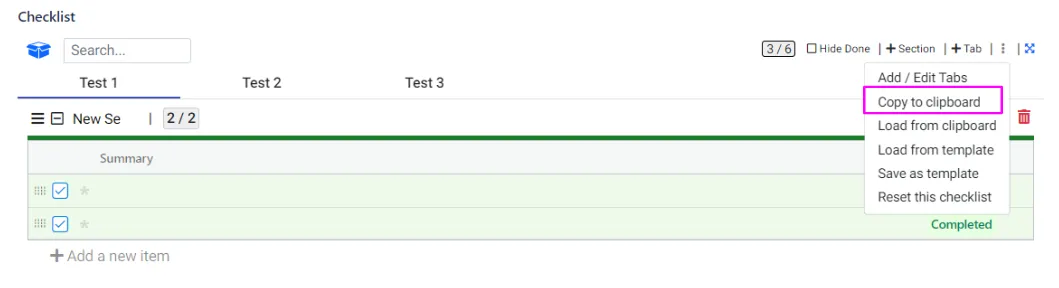
Click on the three dots (…) menu.
-
Select “Copy to Clipboard.” This action copies the Checklist JSON.
-
-
Pasting into the Destination Ticket:
-
Go to the ticket where you want to paste the checklist.
-
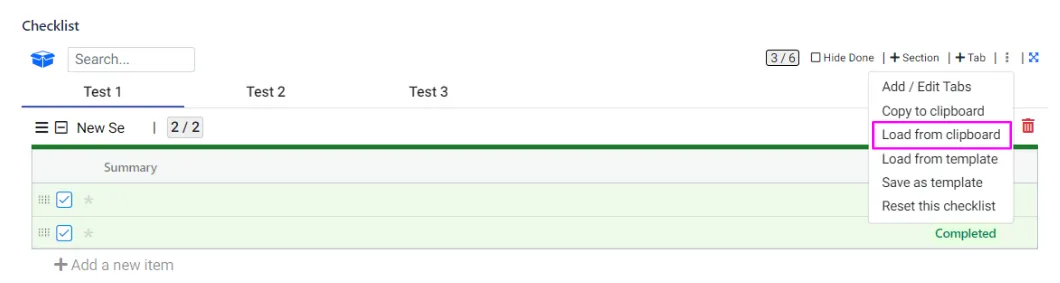
Again, click on the three dots (…) menu.
-
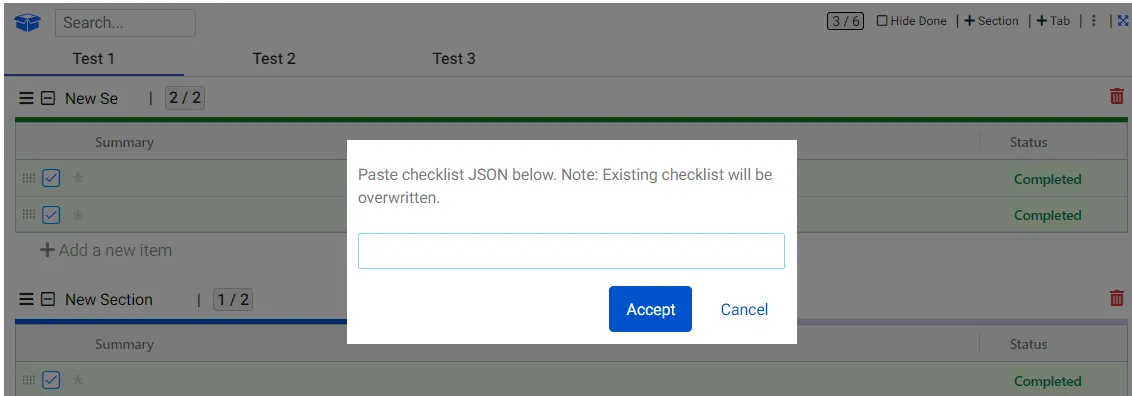
Choose “Load from Clipboard.” A pop-up will appear, prompting you to insert the Checklist JSON.
-
Paste the Checklist JSON into the pop-up.
-
Click “OK,” and voila! The checklist will be seamlessly transferred to the destination ticket.
-