
Manually loading checklist from template
You have the convenient option to automatically populate a new ticket with an existing template. Here’s how to do it:
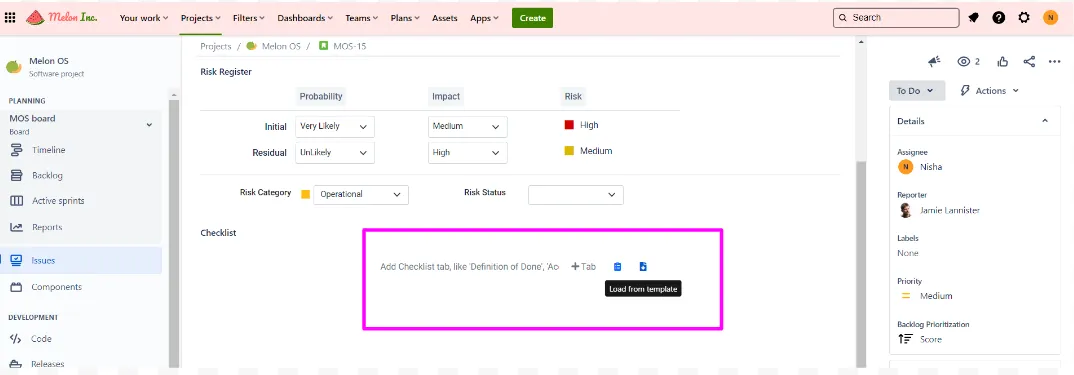
- Look for the specific icon [Insert Template Icon].
-
Click on this icon, and a pop-up window will promptly appear.
-
In the pop-up, you’ll be presented with a selection of templates to choose from.
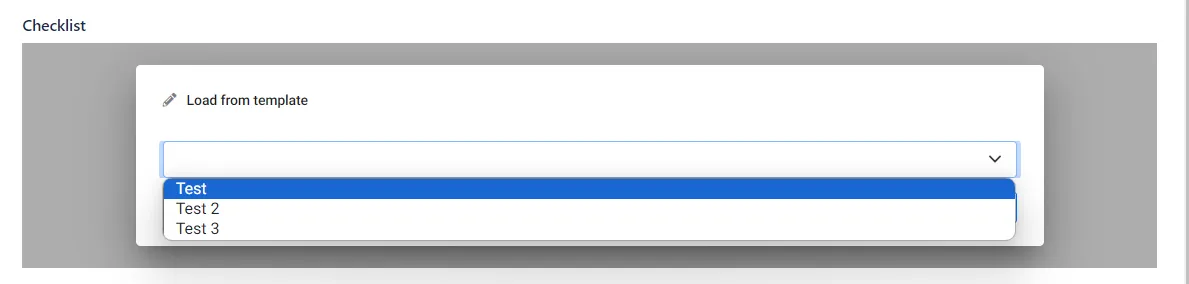
- Simply select the template you’d like to insert into the new ticket.
By following these steps, you can efficiently apply a template to a new ticket, saving time and ensuring consistency in your ticket management process.