
Merge Multiple Templates Feature
We are excited to announce the release of a highly anticipated feature for Checklist for Jira Cloud Enterprise: Merge Multiple Templates. This powerful new capability allows users to seamlessly integrate multiple checklist templates directly into a single Jira ticket, streamlining workflow management and enhancing productivity.
Key Features:
-
Automatic Template Merging:
-
Users can now automatically merge multiple checklist templates into a single ticket.
-
The system executes all matching JQL (Jira Query Language) assignments and merges the corresponding checklists in the order they are matched.
-
This ensures that all relevant checklists are included without any manual intervention.
-
-
Global and Project-Specific Templates:
-
The feature supports the merging of both Global and Project-specific templates.
-
Users can combine templates from different levels, ensuring comprehensive coverage of tasks and requirements.
-
-
Manual Insertion:
-
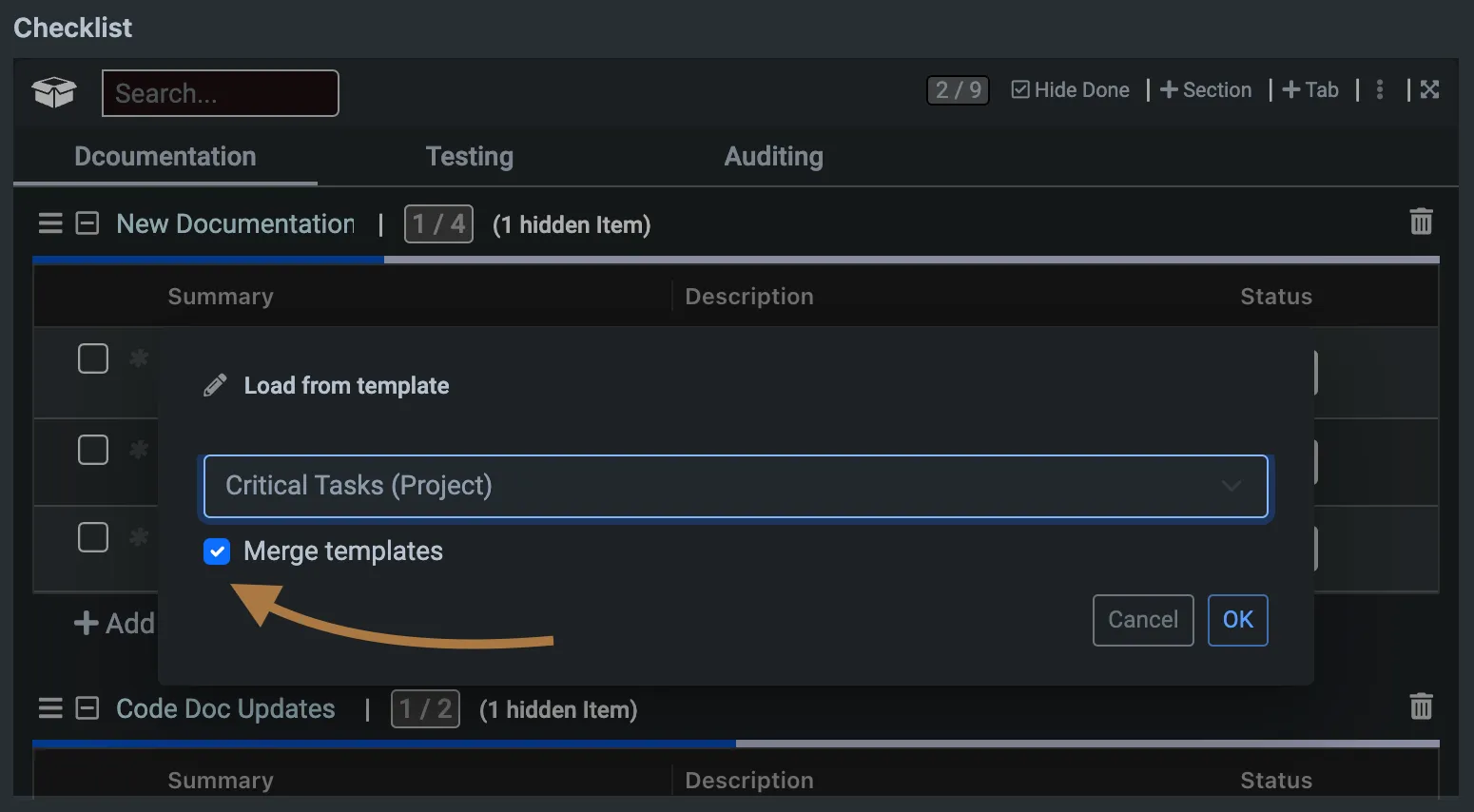
In addition to automatic merging, users have the option to manually insert templates into an existing ticket’s checklist.
-
-
This flexibility allows for custom adjustments and additions based on specific needs.
-
-
Activation and Settings:
-
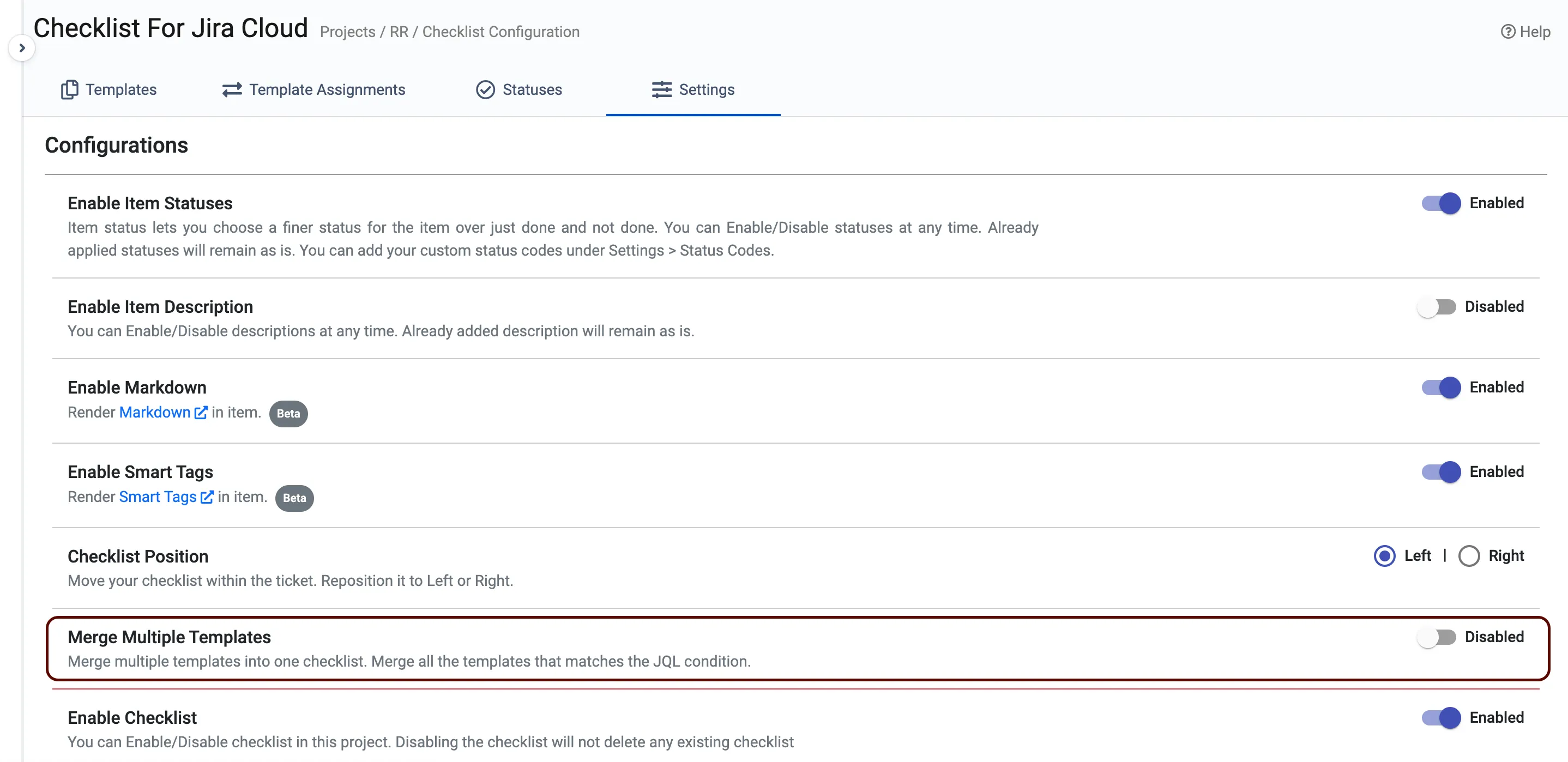
By default, the Merge Multiple Templates feature is turned off.
-
Users can activate it through the Project Checklist Settings, giving administrators control over its implementation.
-
How to Enable:
-
Navigate to Project Checklist Settings.
-
Locate the Merge Multiple Templates option.
-
Toggle the feature on and configure the settings as needed.
We believe this new feature will greatly enhance your workflow management within Jira, providing a more streamlined and efficient way to handle multiple checklists. As always, we welcome your feedback and look forward to continuing to improve your experience with Checklist for Jira Cloud Enterprise.