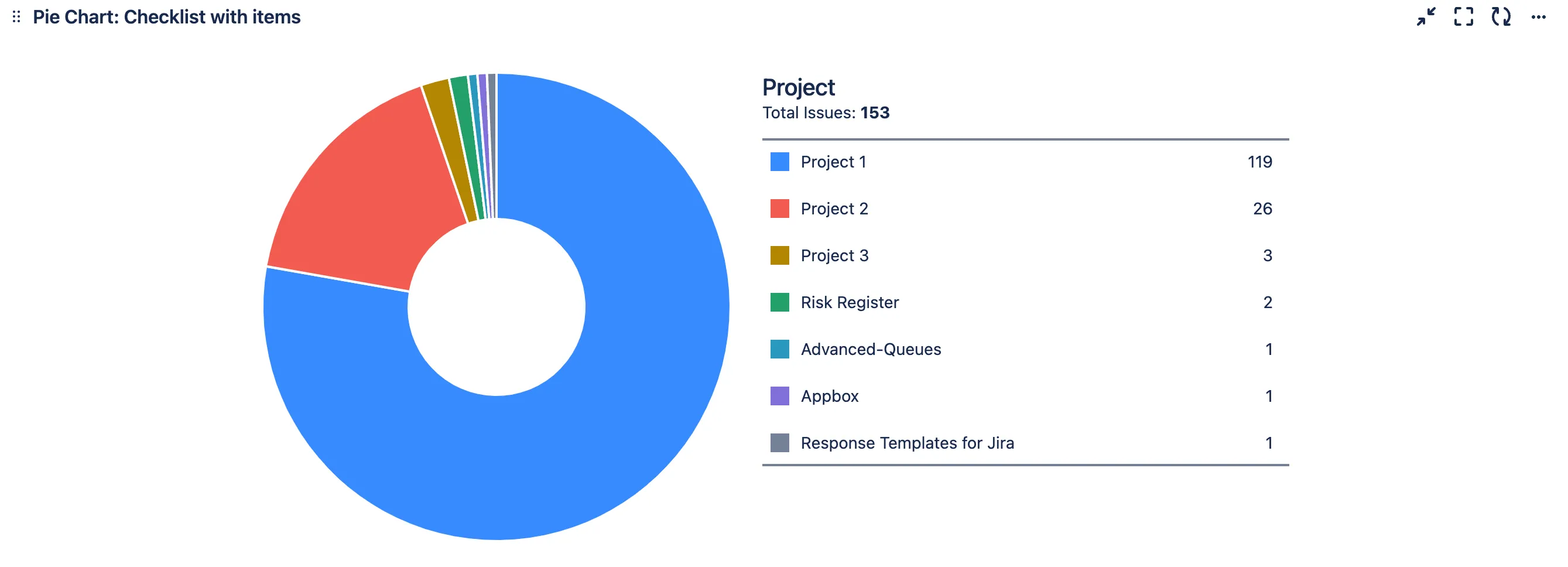
Show checklist usage by project
This article provides a step-by-step guide for visualizing checklist usage across projects within a JIRA environment.
Step 1 - Create a JQL filter to identify Jira Tickets with checklist items.
JQL - “Total Items” > 0

Save this filter with an appropriate name, like “Checklist with Items”
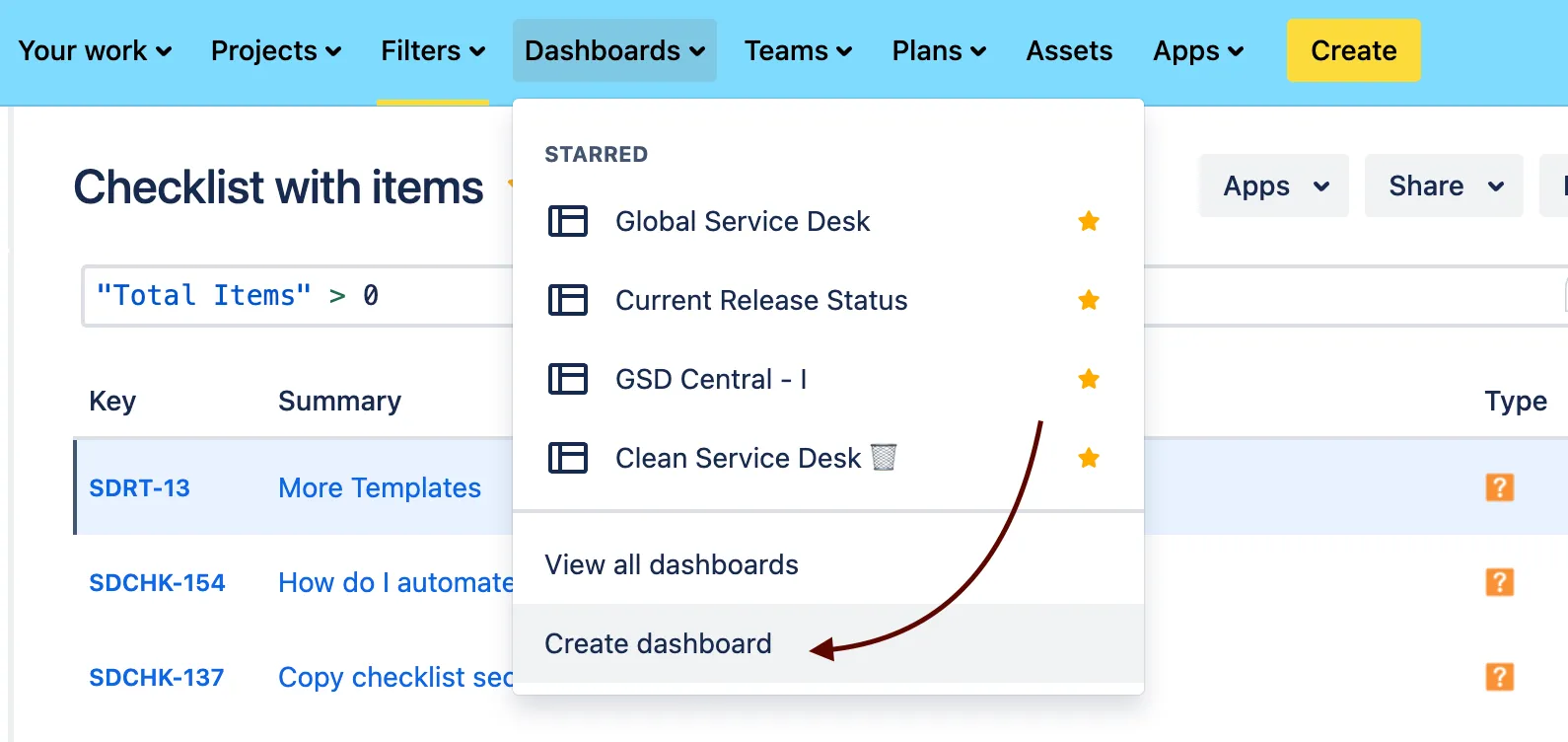
Step 2 - Create a new Dashboard for better oversight of these checklists.
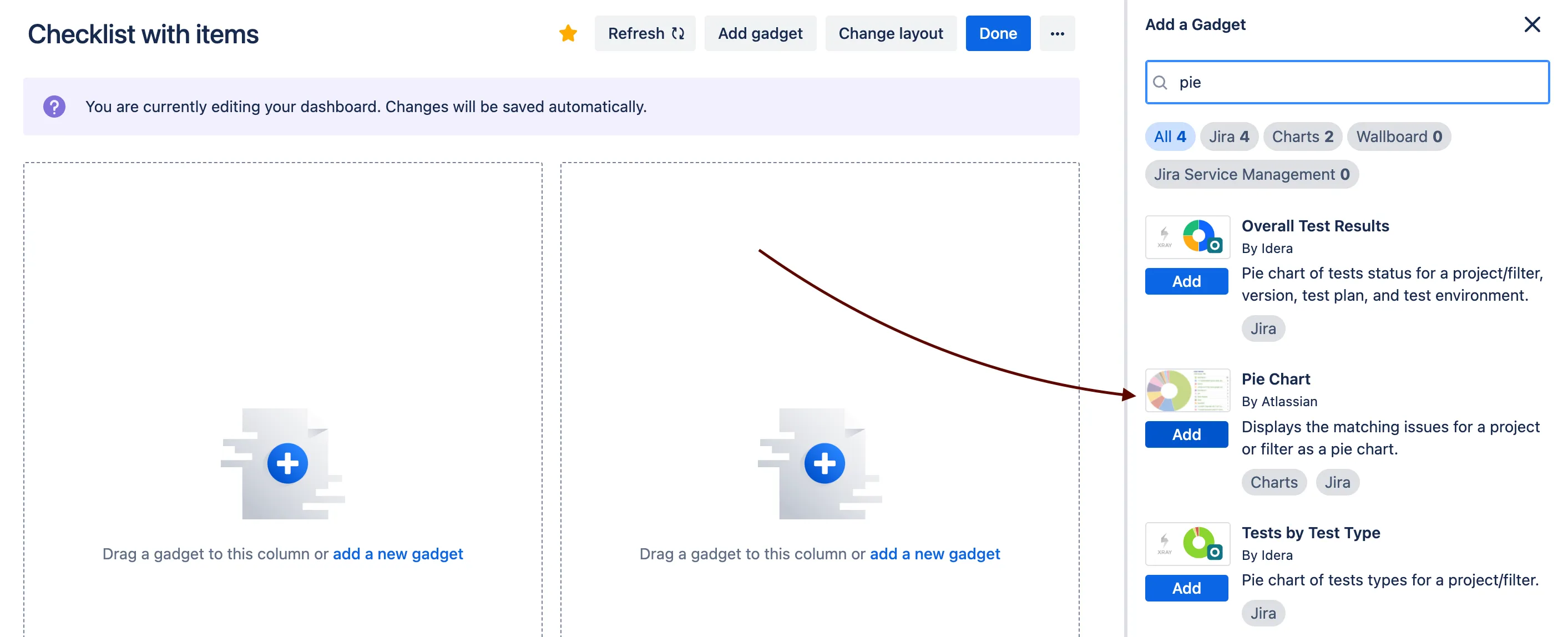
Step 3 - Add the Pie Chart Widget to the dashboard, which helps in the graphical representation of the data, making it easier to analyze and understand the distribution and status of checklist items across various projects.
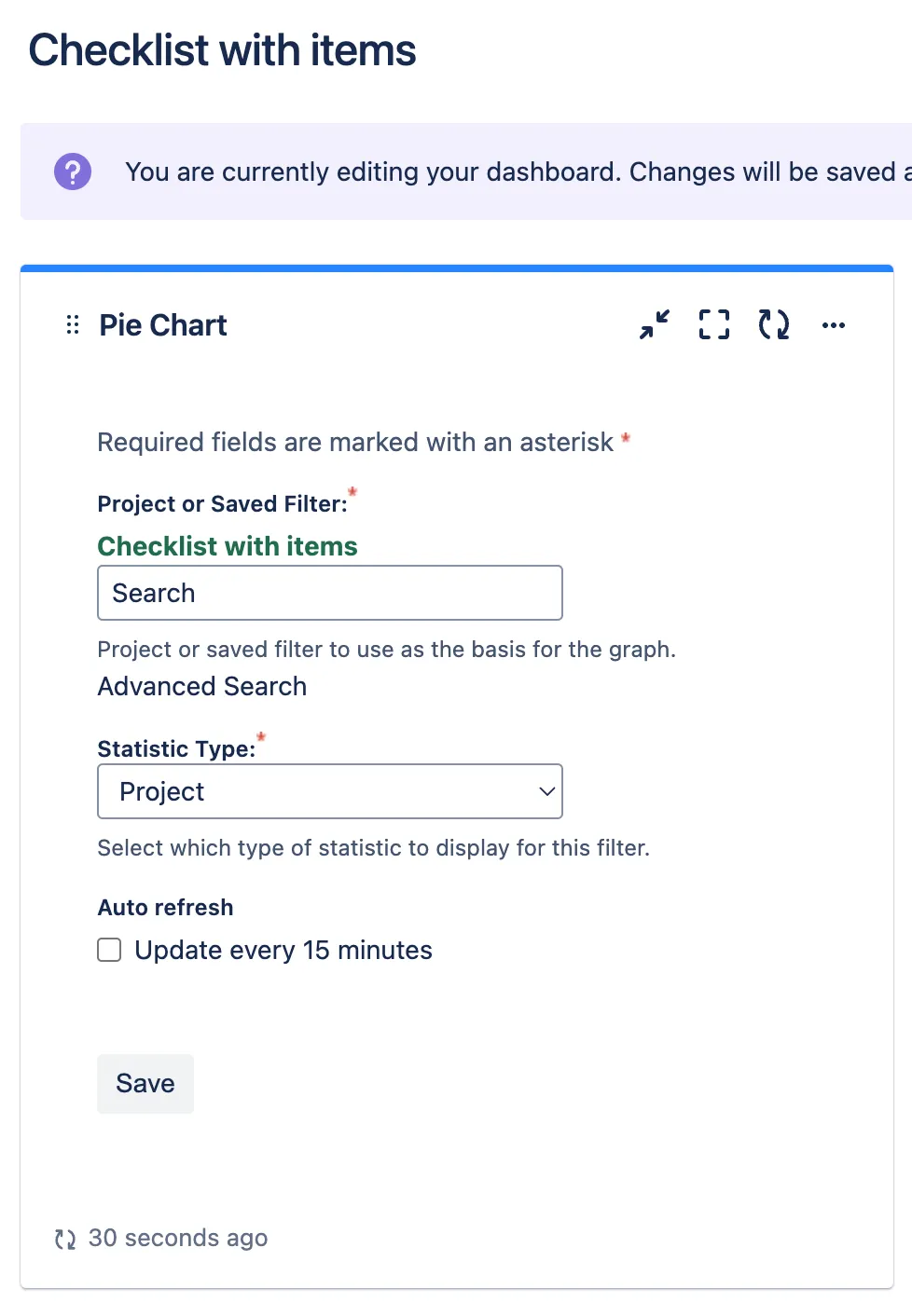
Once loaded, you will be able to view the checklist utilization for all projects.