Executions
A Test Execution is a snapshot of a run — each included case gets a result.
- Start one from Run selected (Tests tab), from a Test Set, or from a Test Plan.
- Mark each case Pass / Fail / Blocked / Skipped and add notes.
- Executions created by your CI appear here too, tagged as source automation.
- Each case’s latest result is remembered and shown on the case and in reports.
Running one
Section titled “Running one”Starting a run opens the runner. The bar across the top is the run itself, filling in as you go, and the list on the left is every case in it, with a coloured dot for the result so far. Tick Unrun only to hide the ones you have already marked.
Each case shows its preconditions and steps, a box for what actually happened, and the four result buttons. Set Environment / build once at the top and it is recorded against the whole run, which is what the Environment × build report reads.
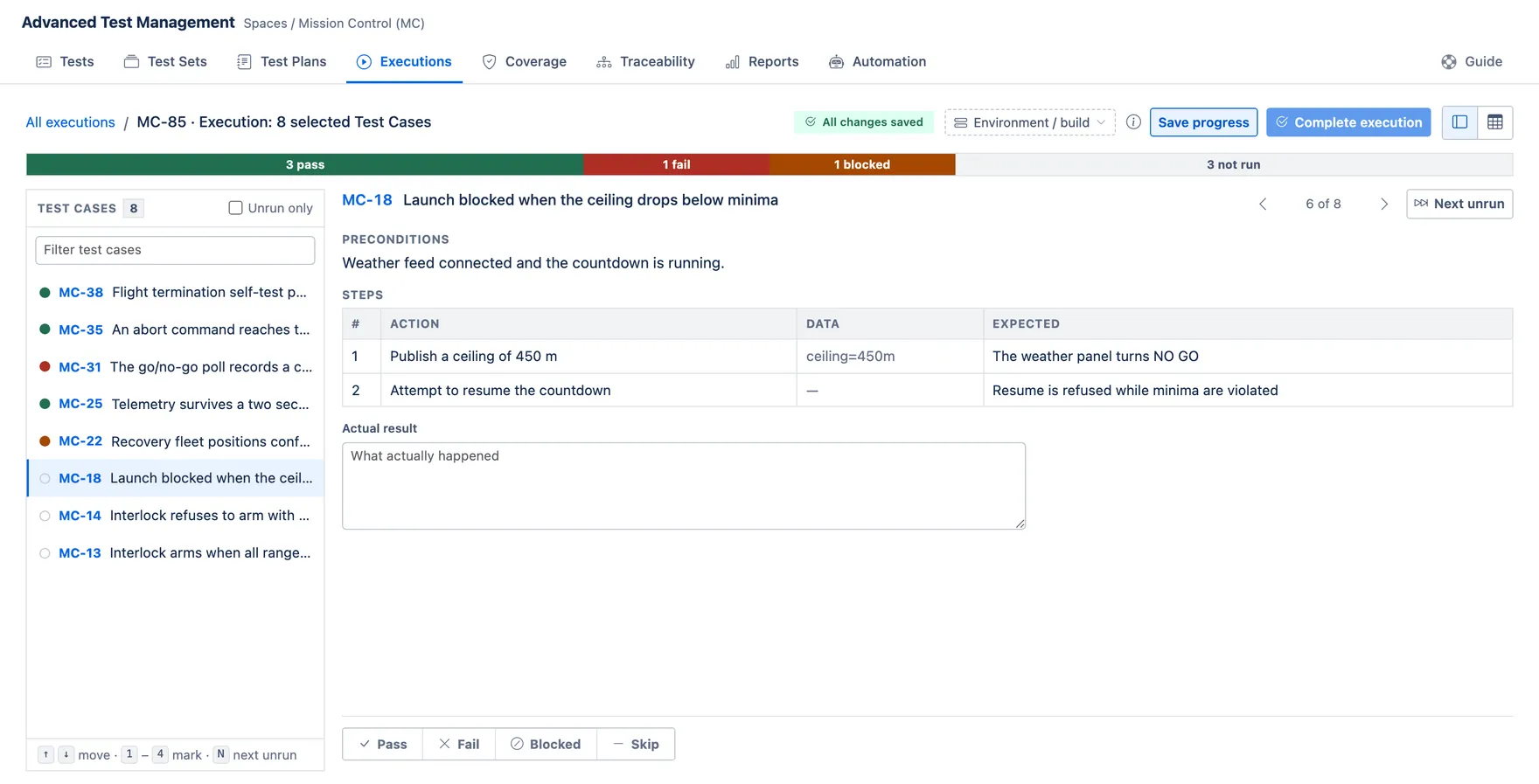
Work moves faster from the keyboard: 1 to 4 mark the current case, N jumps to the next unrun one, and the arrow keys move up and down the list. Each mark saves on its own, so you can close the tab and pick the run up later.
Complete execution closes the run and rolls its results into the reports. Every case has to carry a result first, which is why the button stays disabled while anything is still unrun.
The Executions tab
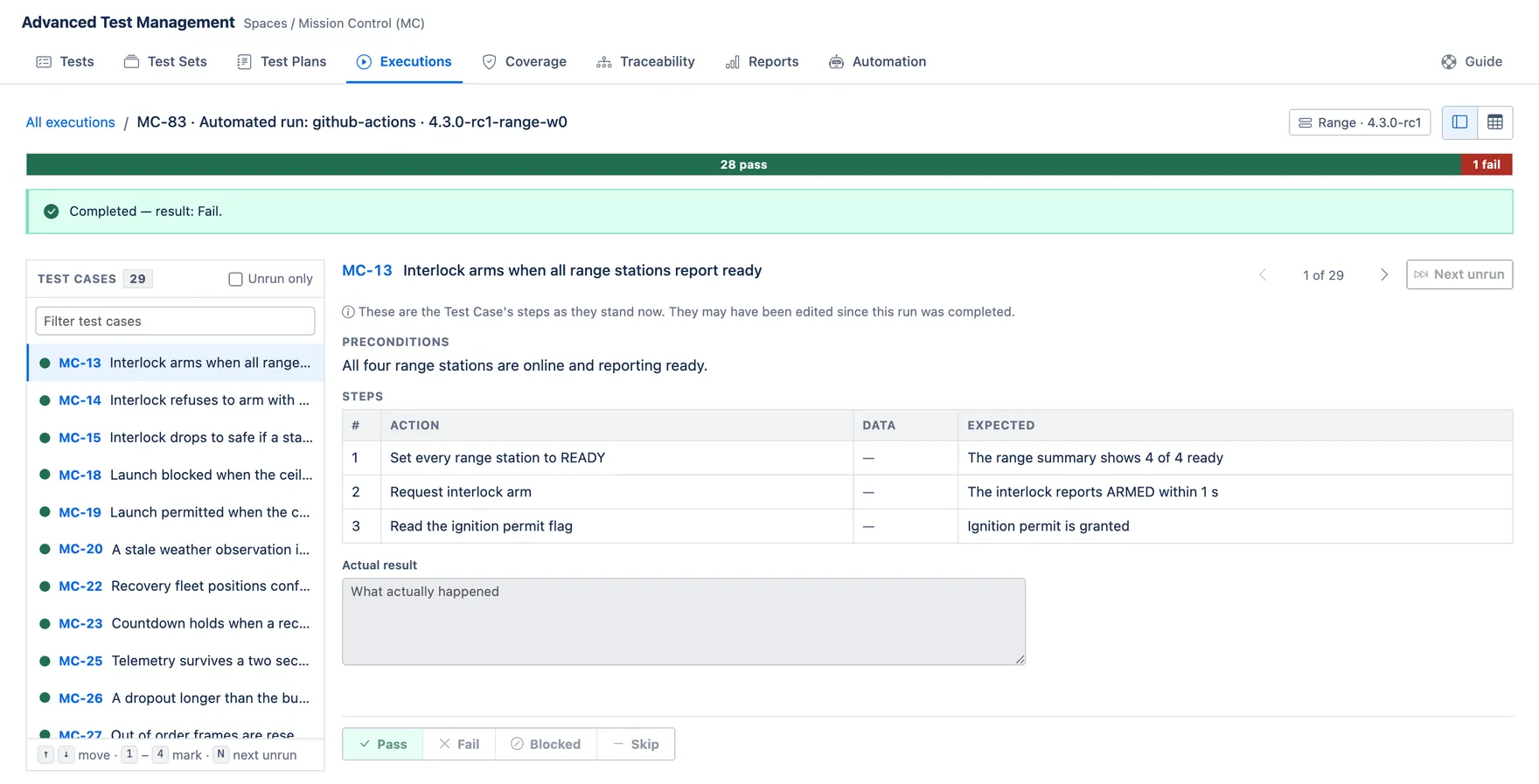
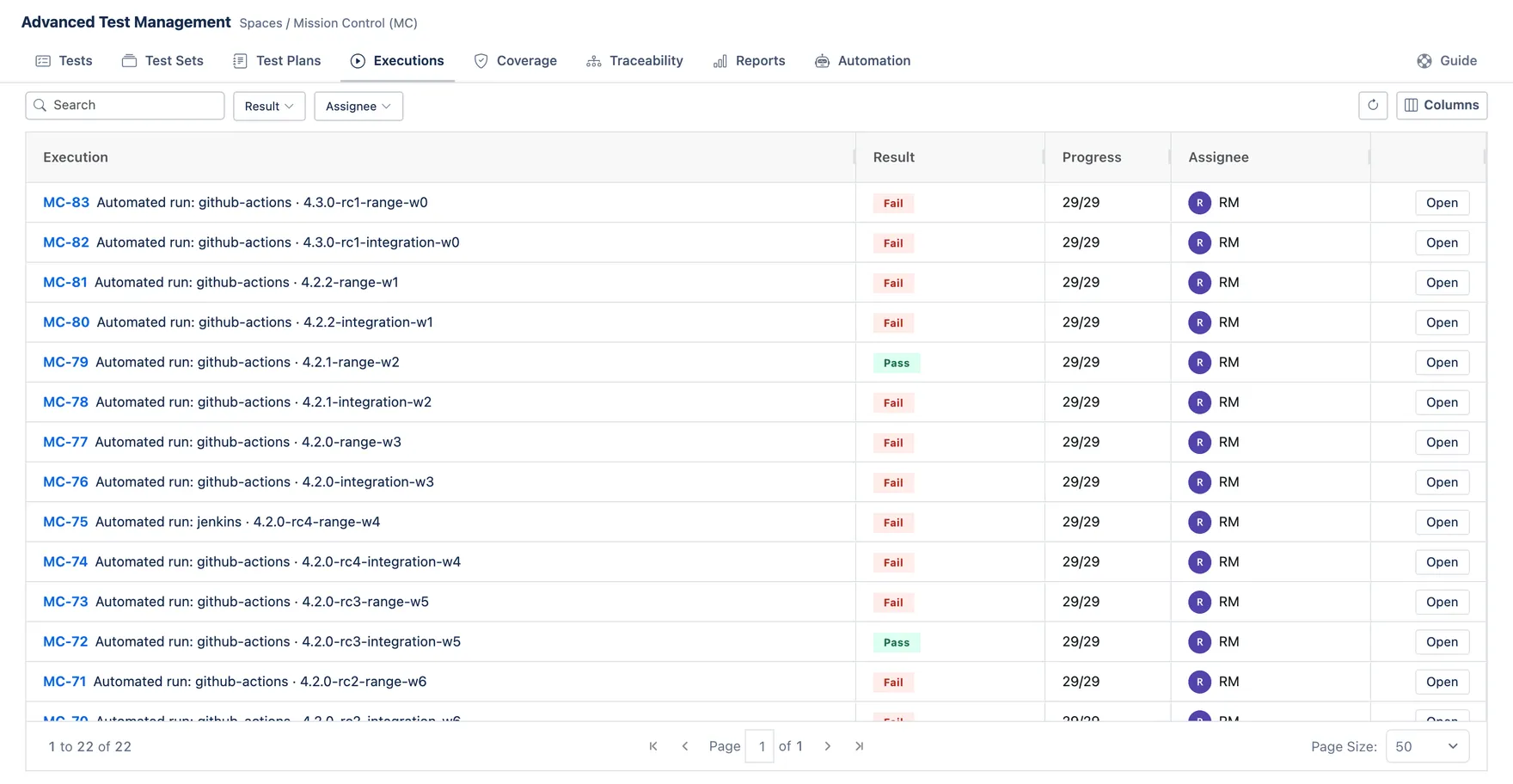
Section titled “The Executions tab”Every run lives here, manual and automated alike, newest first. Progress counts the cases marked so far, and Result is the run’s overall outcome: any failure makes it a Fail, otherwise any blocked case makes it Blocked, and it is a Pass only when every case passed or was skipped.
Opening a completed run shows exactly what it recorded.