
Permissions
Nexus CRM decides what someone can do in five layers. Each one narrows the one before it, and the server checks every one.
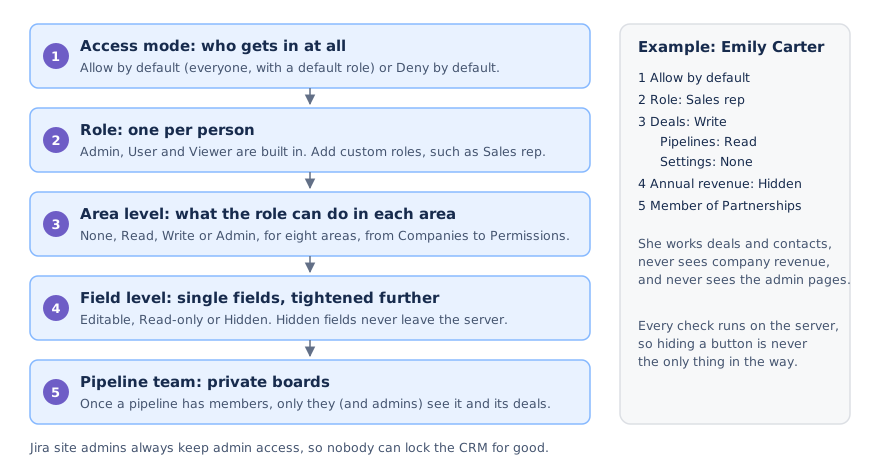
Settings → Data and access → Permissions needs Permissions: Admin. It has three tabs: People, Roles and Access.
Access mode
Section titled “Access mode”The Access tab decides who gets in at all.
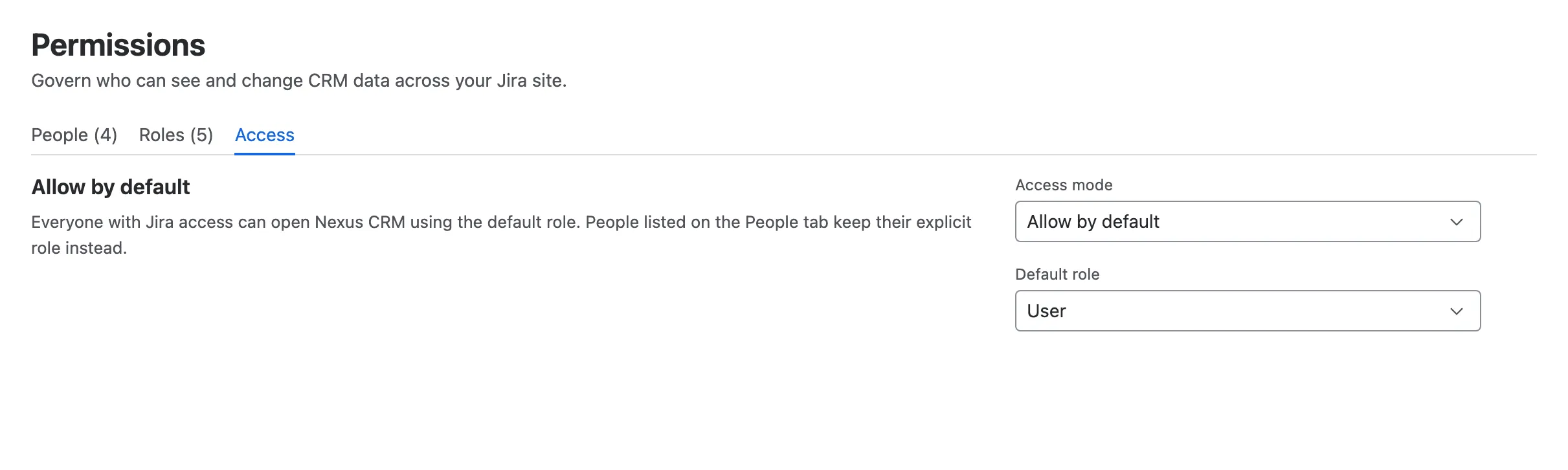
- Allow by default. Everyone with Jira access can open Nexus CRM, with the default role you pick (usually User). People on the People tab get their own role instead.
- Deny by default. Only people on the People tab can open Nexus CRM. Everyone else sees an Access not granted page. Switching to this mode asks you to confirm.
- Default role, for Allow by default.
Jira site admins always keep admin access, in either mode, so nobody can lock the CRM for good.
The Roles tab lists the built-in and custom roles, with a plain-English summary of each and how many people have it.
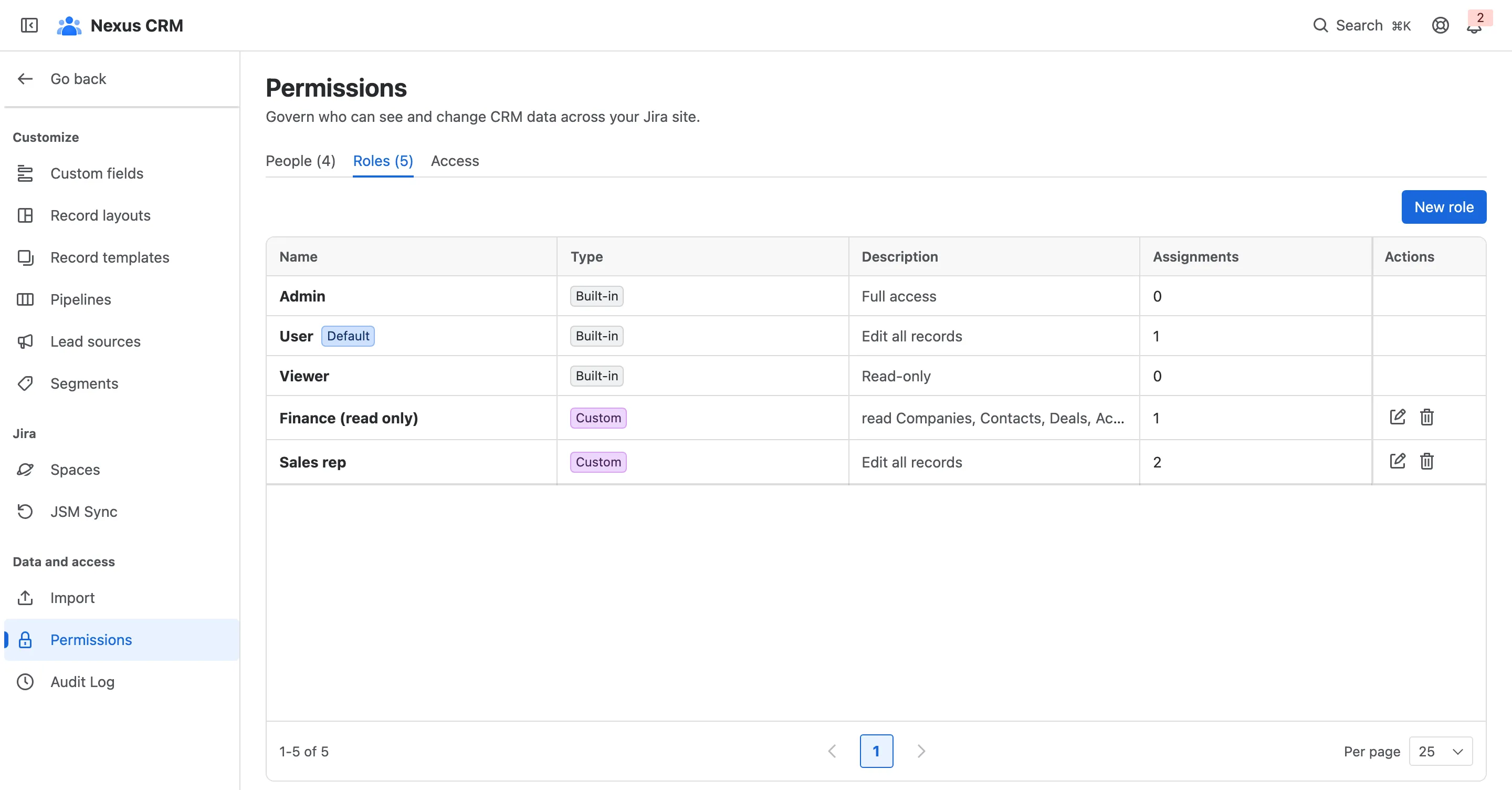
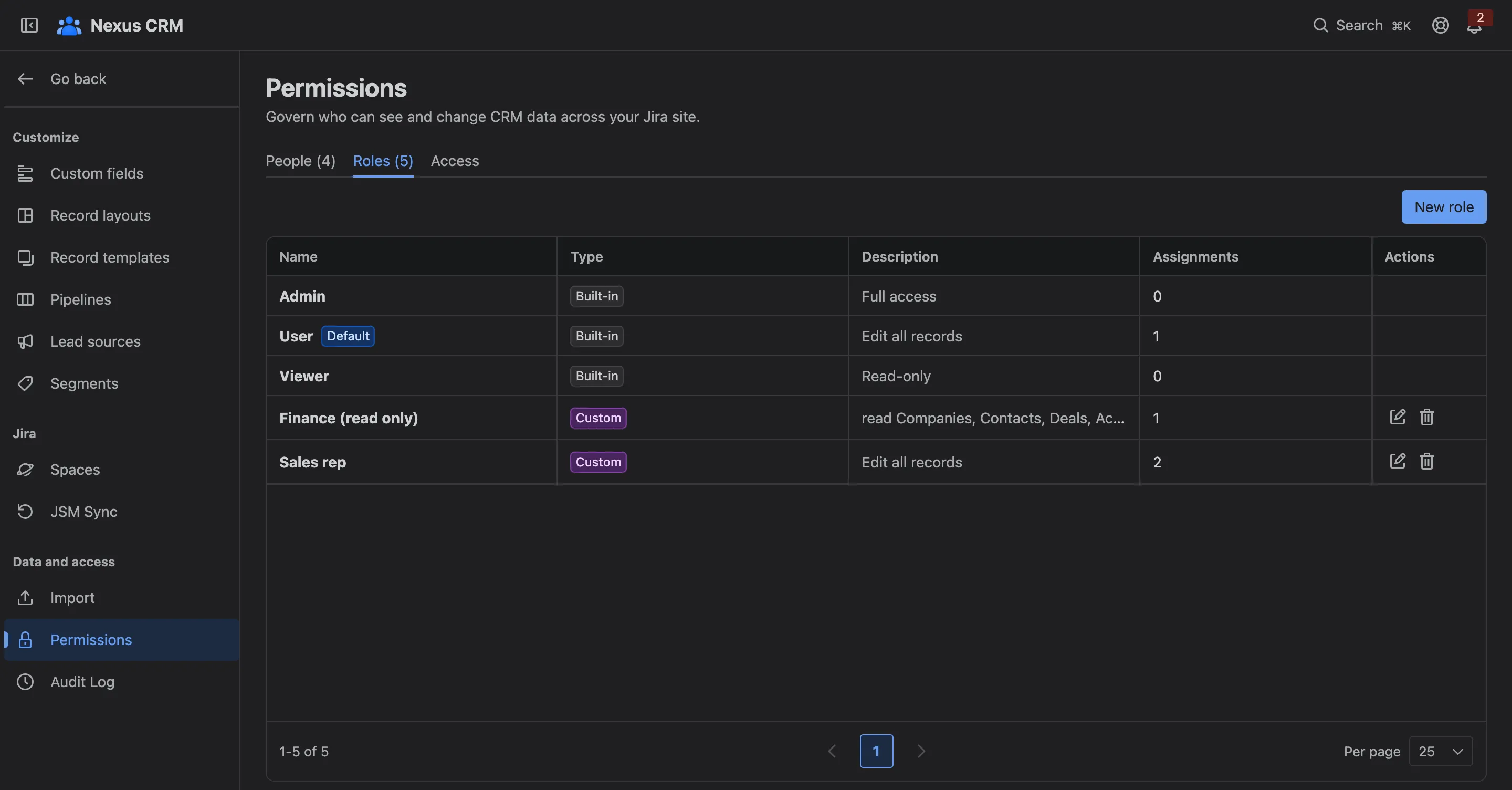
| Built-in role | Can |
|---|---|
| Admin | Do everything, including settings and permissions |
| User | Work with every kind of record, without changing settings |
| Viewer | Read only |
New role creates your own, such as Sales rep or Finance (read only). A custom role that someone still has can’t be deleted: reassign them first.
Area levels
Section titled “Area levels”A role sets a level for each of eight areas: Companies, Contacts, Leads, Deals, Activities, Pipelines, Settings and Permissions.
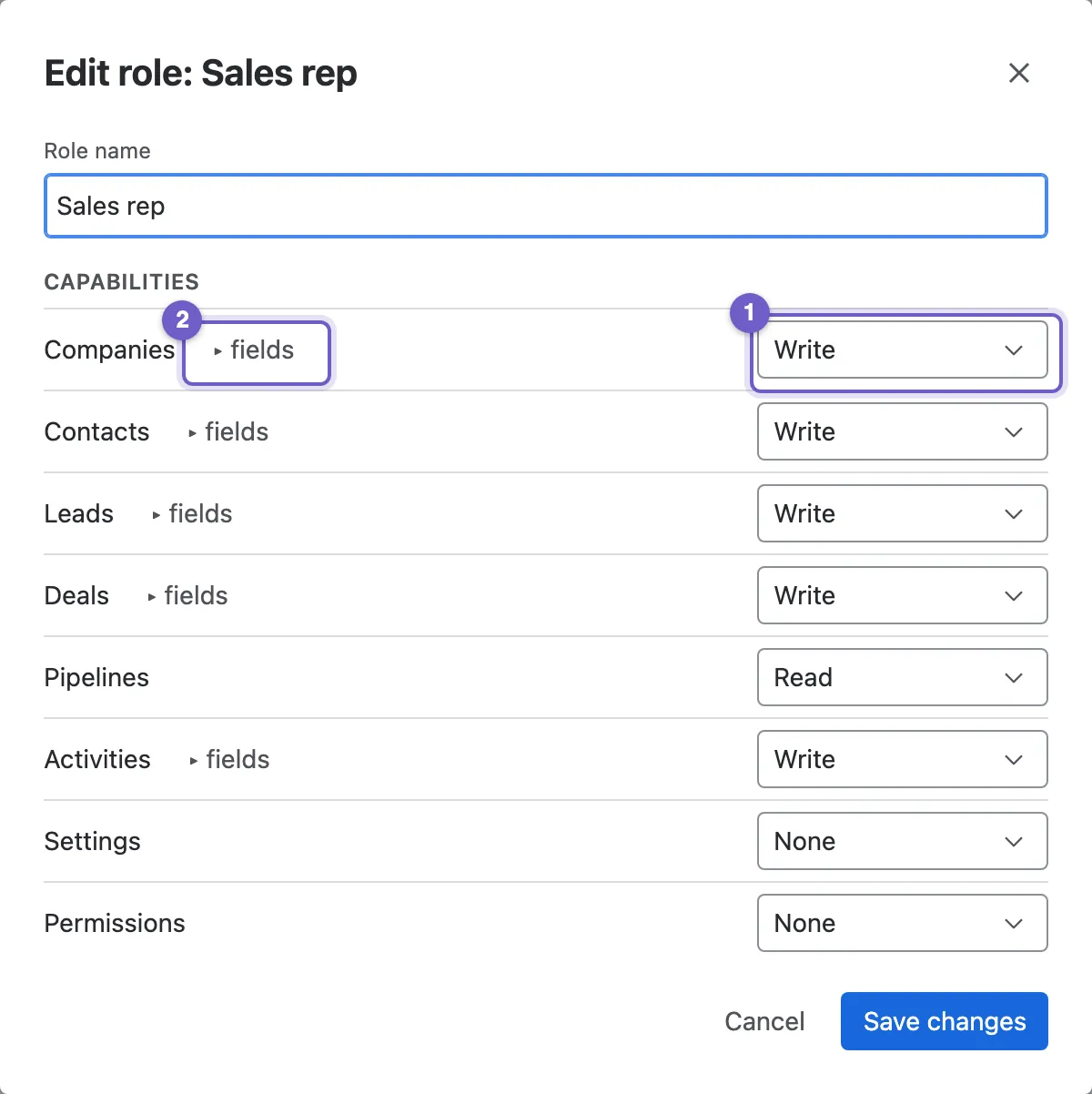
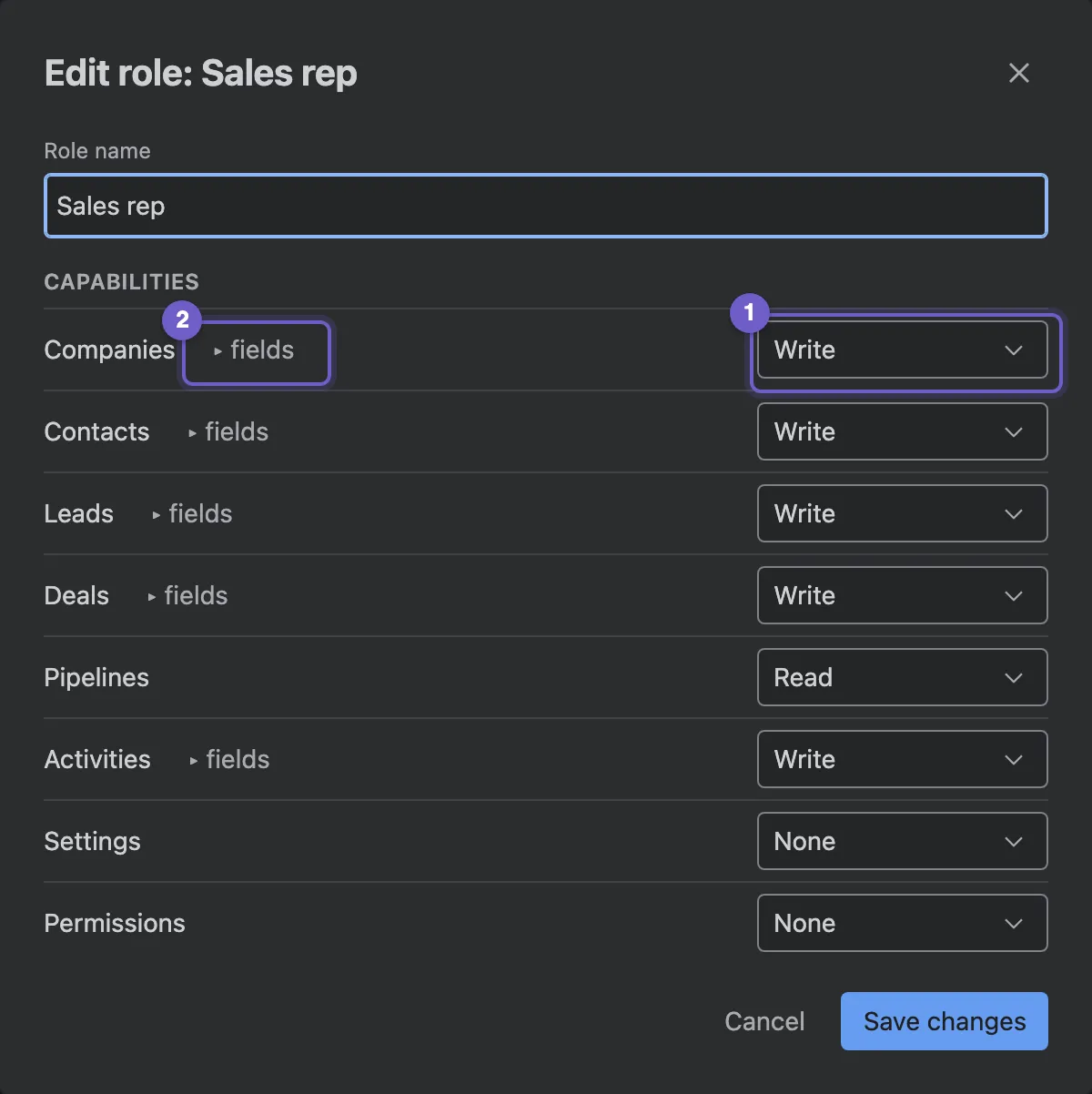
- A level per area: None, Read, Write or Admin. Settings: Admin opens the Settings pages; Settings: Read is enough for the audit log.
- ▸ fields opens field permissions for that record type.
- Role name.
Field permissions
Section titled “Field permissions”Inside a role, each field can be Editable, Read-only or Hidden, which can only tighten what the area level allows. A hidden field disappears from forms, lists, the deal board, record pages and exports for that role: the server never sends it. Read-only fields show but can’t be changed.
People
Section titled “People”The People tab lists everyone with a role of their own.
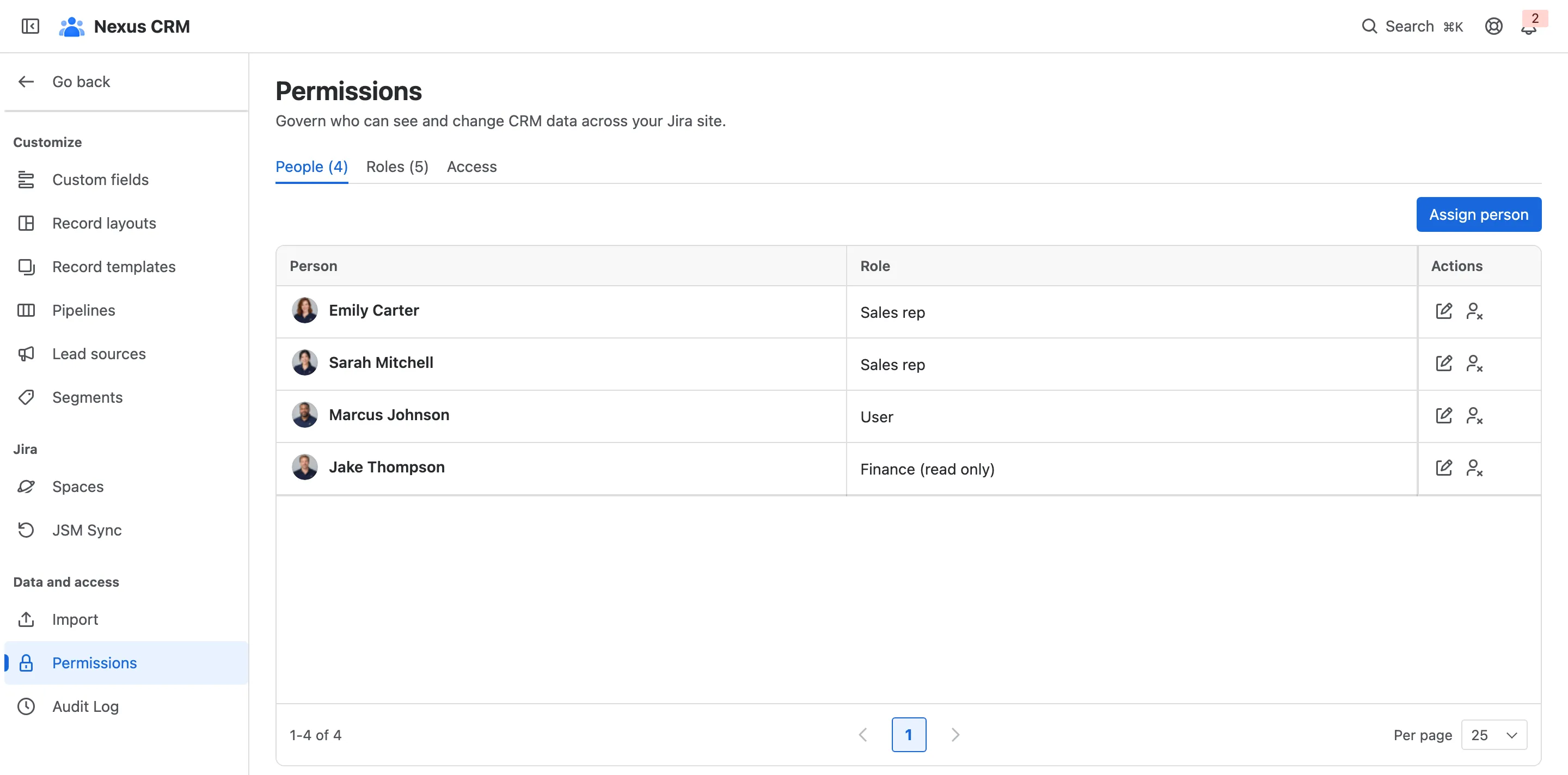
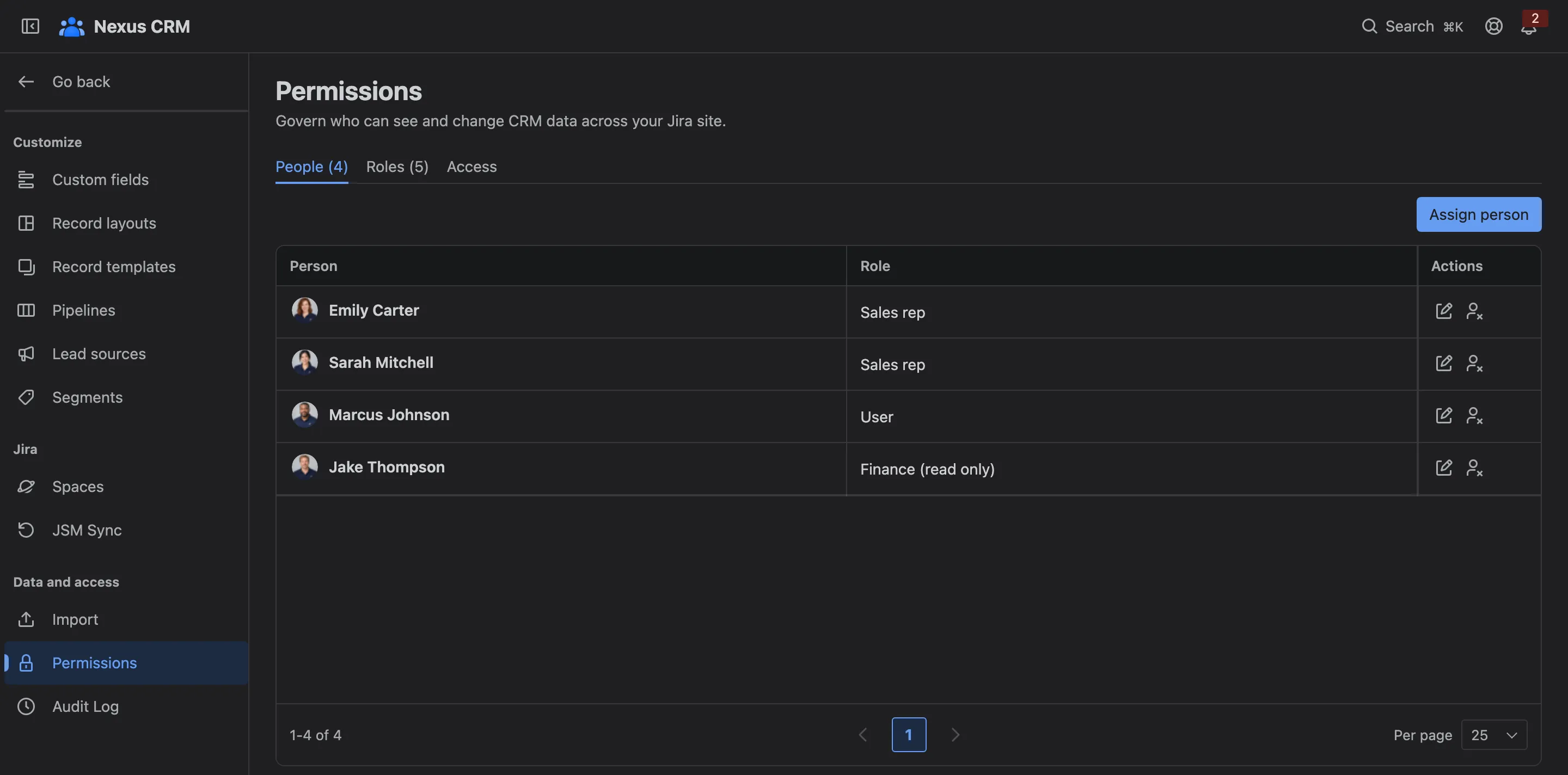
- Assign person: pick someone from Jira and a role.
- A person, with their role. Change it, or remove them.
Nexus CRM always keeps at least one admin.
Pipeline teams
Section titled “Pipeline teams”A pipeline can be made private to its team. See Pipelines and stages.
What people see
Section titled “What people see”Nexus CRM shows people only what they can use. A create button they can’t use is greyed out, with a note saying why; record actions they can’t take are hidden; and Settings pages they can’t open aren’t in their menu.